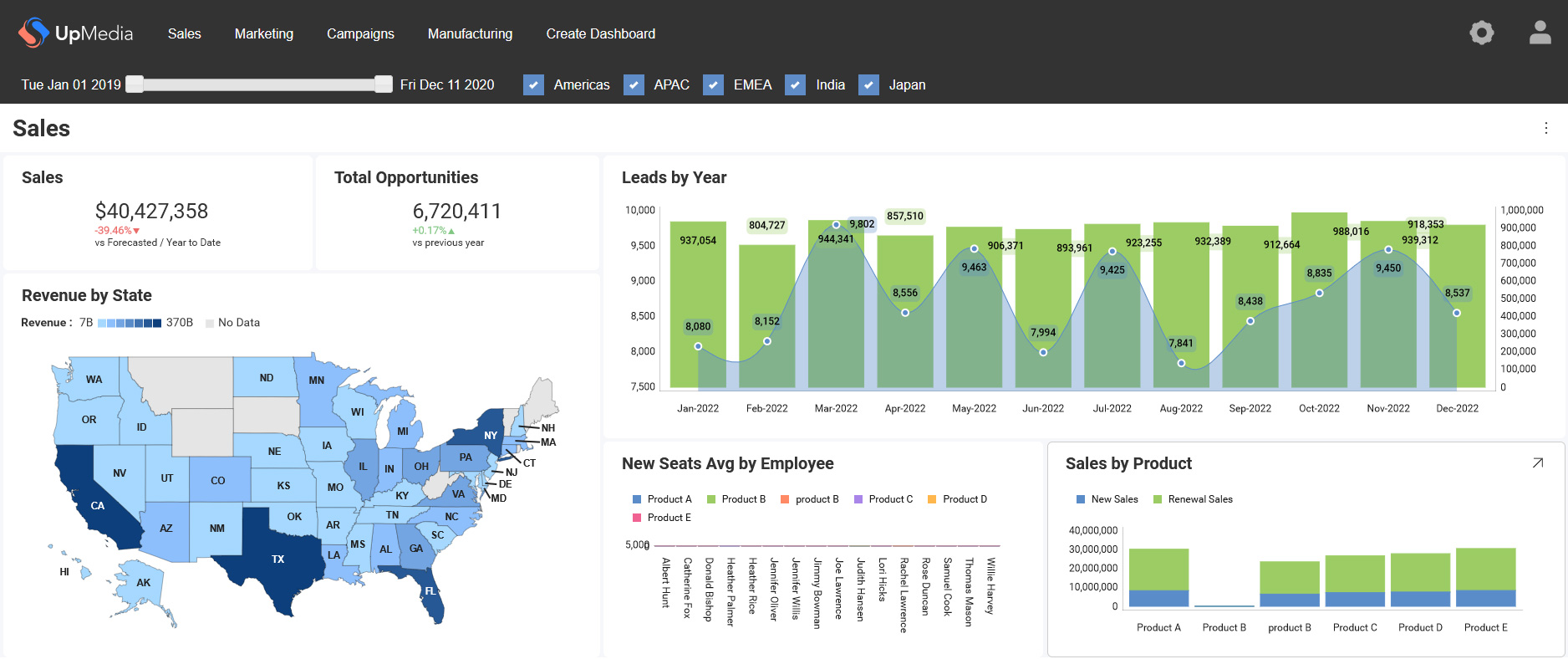




Want embedded analytics in React without weeks of setup? In this webinar, Jason Beres and Brian Lagunas show two fast paths: a low-code App Builder workflow and a from-scratch React setup with Reveal Web Component Wrappers. You’ll see how Reveal delivers a pure embed (no iframes), responsive dashboards, and a developer-friendly options pattern for deep control—plus how to load, edit and save .rdash dashboards with minimal code.
What you’ll learn:
- Low-code build: Connect a React app to a Reveal server, list dashboards via Swagger, and load dashboards without custom code.
- React wrappers: Install, render RVRevealView, and data-bind dashboard names the React way.
- Options pattern: Toggle editing, adjust UI features, control headers and menus, and wire up exports programmatically.
- Edit and save: Start in edit mode, add visualizations, apply filters and themes, then save to the server.
- Production setup: Use a lightweight .NET server with a DataSourceProvider to read .rdash titles and serve them via a simple API.
Key takeaways:
- Reveal is a pure embed for client and server—no iframes.
- The React wrappers make analytics feel native in React, with bindings and an options object.
- You get the benefits of embedded analytics: faster shipping, higher adoption and support for analytical decision-making.
- Choose low-code App Builder or full-code wrappers—either way, setup takes minutes, not days.